

Skip to content
FacebookTwitterInstagramPinterest
  • Getting Started
  • Lessons
  • Purchase
  • Solutions
  • My Account

    Register
Mind Mission Programming Logo

Home of Thymio II in Japan

  • Getting Started
  • Lessons
  • Purchase
  • Solutions
  • Getting Started
  • Lessons
  • Purchase
  • Solutions
  • Getting Started
  • Lessons
  • Purchase
  • Solutions
mmp63 kitchen timer
User solution for: Kitchen Timer (Lesson Plans)
  • Mind Mission Card 63
  • Submitted by: Jeremy (Teacher)
    Solution video:
    Programming Skills: 2 - VPL3 (block)
    Lesson description:

    This lesson combines robotics, creativity, and programming:

    • Use Thymio’s top LED counters to explore binary counting and represent numbers with lights.
    • Build a kitchen timer in VPL3 that counts 5, 20, and 60 seconds using LED patterns.
    • Test and compare timing accuracy using a stopwatch and adjust your program.
    • Advanced: Use color patterns and counting logic to track longer time intervals.
    • Advanced: Create a multi-minute kitchen timer by combining counters and loops.
    Solution Notes:

    Kitchen Timer Lesson Key Concepts

    Build a Kitchen Timer and explore how robotics, math, and programming work together in a hands-on way! This lesson blends logic, timing, and problem-solving using Thymio and VPL3:

    • Use Thymio’s top LED counters to explore binary counting and represent numbers with lights.
    • Create a kitchen timer in VPL3 that counts 5, 20, and 60 seconds.
    • Test your timer with a stopwatch and observe how accurate your program is.
    • Advanced: Use colors and counting patterns to track longer time intervals.
    • Advanced: Build a multi-minute timer by combining counters and loops.

    Lesson Overview

    In this lesson, students will:

    1. Learn how Thymio uses LED lights to count in binary.
    2. Create a VPL3 program to run a timer for different time intervals.
    3. Test and compare timer accuracy using real-world measurements.
    4. Extend the program to count longer durations using patterns and logic.

    By the end of this lesson, students will understand how counting systems and programming can be used to measure time.

    Important Notes:

    Timer accuracy depends on how the program is built and tested. Small timing differences can add up, so use a stopwatch to check and adjust your results.

    Tips for this Lesson:

    1. Start with small time intervals before building longer timers.
    2. Use clear LED patterns to track counting progress.
    3. Test multiple times and adjust your program for better accuracy.
    4. Break longer timers into smaller steps to make them easier to manage.

    Products/Materials

    The following products and resources can be used in this lesson:

    Thymio II Robot
    Stopwatch

    FUN FACT!

    Did you know that computers use binary code to keep track of time and perform calculations? Even simple timers rely on counting systems similar to the one you are building with Thymio!
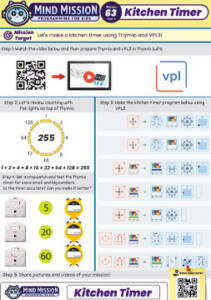
    Download the Lesson PDF Files Below:

    Lesson Materials

    mmp63 kitchen timer thymio

    Check out the video tutorial/solutions below:

    Sorry, your browser doesn't support embedded videos.
    Kitchen Timer (VPL3)
    By Jeremy|2026-04-12T09:27:57+09:002026-04-12|Tags: Kitchen Timer, Mission 63, Programming Lesson|

    Related Posts

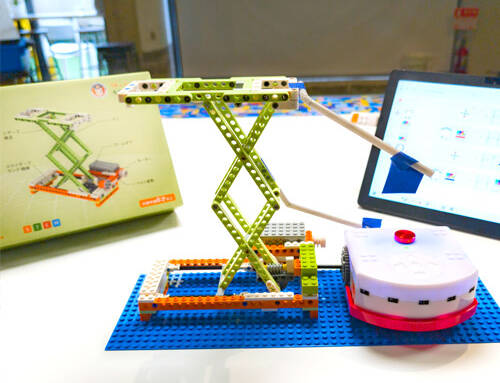
    Scissor Lift (Apitor E × Thymio)
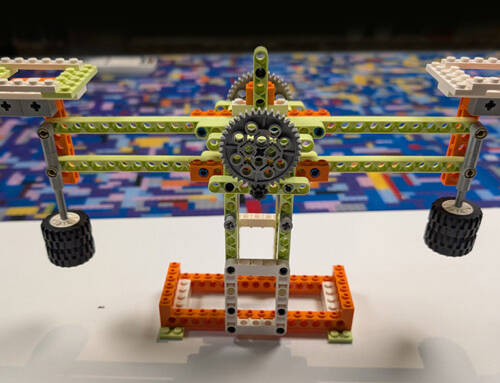
    Balance Scale + Self Leveling Scale (Apitor E × Thymio)
    Programming Basics 1: Bowling Bots
    MMP Mission 67 Scratch Music
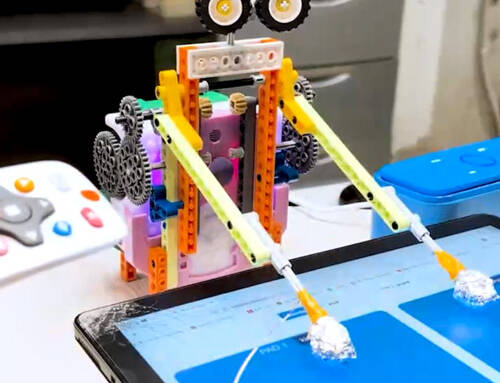
    Drum Bot
    Recon Thymio (Remote Camera Games + Thymio) Lesson Plan
    Sky Swing Thymio (LEGO-Style Bricks + Thymio) Lesson Plan
    Snowflake Animation Lesson Plan
    Ferris Wheel Thymio (LEGO-Style Bricks + Thymio) Lesson Plan
    Keyboard Controlled Thymio (Scratch + Thymio)
    Thymio’s Monster (Halloween Craft with Moving Mouth)
    Mission Card 27: Squash the Ant Scratch Game
    © 2023 | BBBots.com
    Page load link