
Skip to content
FacebookTwitterInstagramPinterest
  • Getting Started
  • Lessons
  • Pixel Puzzles
  • Purchase
  • Solutions
  • My Account

    Register
Mind Mission Programming Logo

Home of Thymio II in Japan

  • Getting Started
  • Lessons
  • Pixel Puzzles
  • Purchase
  • Solutions
  • Getting Started
  • Lessons
  • Pixel Puzzles
  • Purchase
  • Solutions
  • Getting Started
  • Lessons
  • Pixel Puzzles
  • Purchase
  • Solutions
seesaw apitor robot e thymio
User solution for: Balace Scale / Self-Leveling Seesaw (Lesson Plans)
  • Mind Mission Card 65
  • Submitted by: Jeremy (Teacher)
    Solution video:
    Codeless Mode:
    • Purple (Remote Control)
    Programming Skills: 2 - VPL3 (block)
    Lesson description:

    This lesson combines robotics, creativity, and programming:

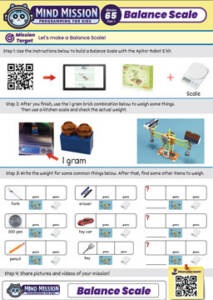
    • Build the Balance Scale using the Apitor Robot E kit and use it to weigh classroom and household items.
    • Use a 2×1 brick with two small studs as a 1 gram reference to estimate and compare weights.
    • Modify the scale by connecting it to Thymio to create an automatic seesaw.
    • Advanced: Attach a rubber band and counterweight to help stabilize the system.
    • Advanced: Use flags and Thymio’s sensors to create a self-leveling balance that adjusts when the weight changes.
    Solution Notes:

    Balance Scale Lesson Key Concepts

    Build a Balance Scale and explore how robotics, measurement, and programming work together in a hands-on way! This lesson blends experimentation, engineering, and problem-solving using Apitor and Thymio:

    • Build the Balance Scale using the Apitor Robot E kit and use it to weigh different items.
    • Use a 2×1 brick with two small studs as a 1 gram reference to estimate and compare weights.
    • Modify the build to connect with Thymio and create an automatic seesaw.
    • Advanced: Add a rubber band and counterweight to help stabilize the system.
    • Advanced: Use flags and Thymio’s sensors to create a self-leveling balance that adjusts when weight changes.

    Lesson Overview

    In this lesson, students will:

    1. Build a Balance Scale using the Apitor Robot E kit.
    2. Measure and compare weights of classroom and household items using a 1 gram reference brick.
    3. Modify the scale and connect it to Thymio to create a moving seesaw system.
    4. Build a self-leveling system using sensors, flags, and counterweights.

    By the end of this lesson, students will understand how balance, force, and programming can be combined to create interactive mechanical systems.

    Important Notes:

    Accuracy depends on proper balance and alignment of the scale. Make sure both sides are evenly built and move freely. When using Thymio, small adjustments in movement can greatly affect the balance, so test carefully.

    Tips for this Lesson:

    1. Use the 1 gram reference brick to calibrate your scale before testing other items.
    2. Make sure the beam moves smoothly without friction.
    3. Adjust the counterweight gradually to improve balance.
    4. Position flags clearly so Thymio’s sensors can detect them reliably.

    Products/Materials

    The following products and resources can be used in this lesson:

    Thymio II Robot
    Apitor Robot E Kit
    LinkVest
    Classroom and household items

    FUN FACT!

    Did you know that balance scales have been used for thousands of years? They are one of the oldest tools for measuring weight and are still used today in science, medicine, and trade!
    Download the Lesson PDF Files Below:

    Lesson Materials

    mmp65 pdf

    Check out the video tutorial/solutions below:

    Sorry, your browser doesn't support embedded videos.
    Sorry, your browser doesn't support embedded videos.
    Sorry, your browser doesn't support embedded videos.
    Sorry, your browser doesn't support embedded videos.
    Balance Scale + Self Leveling Scale (Apitor E × Thymio)
    By Jeremy|2026-04-10T23:25:39+09:002026-04-10|Tags: Apitor, Balance Scale, Mission 65, Programming Lesson, Seesaw|

    Related Posts

    Getting Started with Scratch in Thymio Suite
    Dino Ball (Super Easy Scratch Game for Beginners)
    Thymio Sound Recorder (Scratch + Robotics Programming Series)
    Scratch-Controlled Thymio (Programming Robots with Scratch)
    Thymio Holographic Bubble Spinner Illusion (Gear Ratio Exploration Project)
    Scratch Writers (Writing Letters with Thymio’s Pen Holder)
    Snowflake Animation (Programming Fundamentals in Scratch)
    Pong Game (Programming Fundamentals in Scratch)
    Thymio Light Painting | Light Blossoms and Shapes
    Rainbow Flashing Lights and Color Blending Effects with Thymio
    Thymio Mouse Trap Programming Mission
    Scratch Story Teller Slideshow Kids Programming Lesson
    © 2026 | MindMission.pro
    Page load link