
By Jeremy|2026-04-20T22:04:09+09:002026-04-20|Tags: Accelerometer, Baller Thymio, mmp56, mmp57, Programming Lesson|
This lesson combines robotics, balance, and programming:
- Use Thymio’s accelerometer to detect tilt and movement.
- Create a VPL3 program to help Thymio stay balanced on a rolling ball.
- Test and improve your program by adjusting movement and control.
- Advanced: Optimize your program to achieve faster and more stable runs.
Solution Notes:
Baller Thymio (Accelerometer Sensor Balance)
Help Thymio balance on a rolling ball and explore how sensors and programming work together! This lesson focuses on control, timing, and real-world interaction using Thymio and VPL3:
- Use Thymio’s accelerometer to detect tilt and balance.
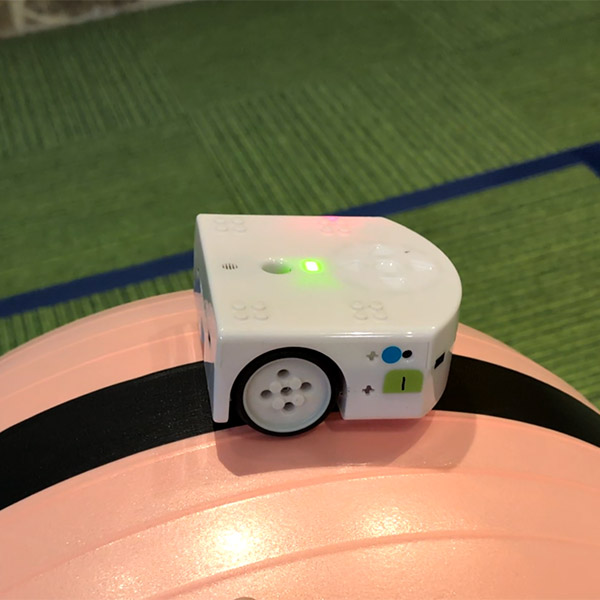
- Create a VPL3 program to help Thymio stay on a moving ball.
- Test and improve your program by adjusting movement and response.
- Advanced: Optimize your program for better stability and faster times.
Lesson Overview
In this lesson, students will:
- Watch how Thymio balances using tilt detection.
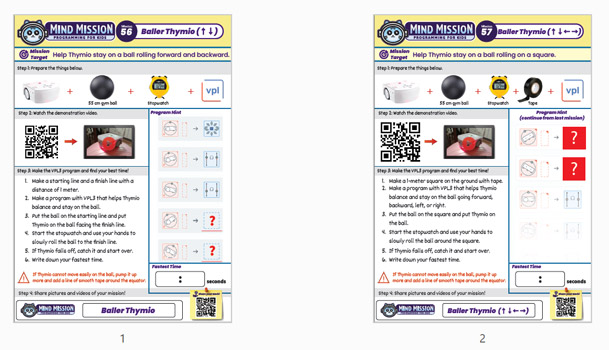
- Create a VPL3 program to respond to forward and backward tilt.
- Test balancing by rolling a ball across a set distance.
- Record and improve their fastest time.
By the end of this lesson, students will understand how sensor input and programming can be used to control balance and movement.
Important Notes:
Balancing depends on smooth movement and quick response. If Thymio struggles to stay on the ball, adjust the program or slow down the motion.
Tips for this Lesson:
- Start with slow movements to improve control.
- Adjust your program based on how Thymio tilts.
- Practice steady rolling for better results.
- Test multiple times to improve your best run.
Products/Materials
The following products and resources can be used in this lesson:
Thymio II Robot
55 cm Gym Ball
Stopwatch
VPL3
FUN FACT!
Did you know that robots use sensors like accelerometers to stay balanced? Similar technology is used in self-balancing robots and even in devices like smartphones to detect movement and orientation!
Download the Lesson PDF Files Below:
Check out the video tutorial/solutions below: