
By Jeremy|2026-05-12T01:08:40+09:002026-05-12|Tags: Dino Ball (Super Easy Scratch Game for Beginners), mmp30, Programming Lesson|
This lesson combines creativity, programming, and interaction:
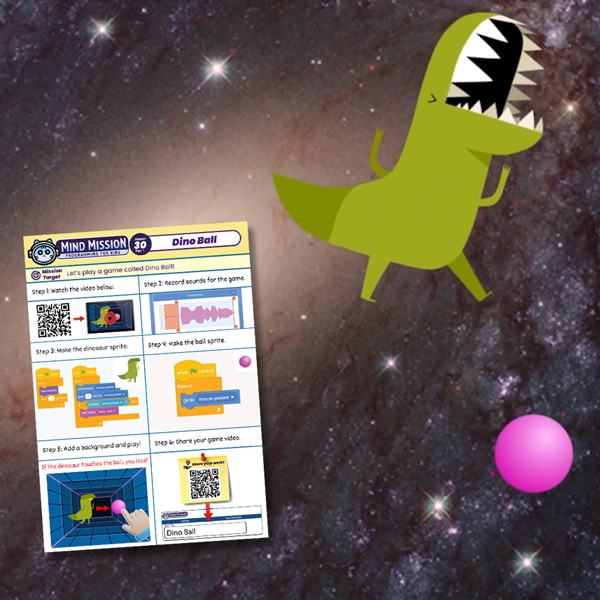
- Create a simple Dino Ball game using Scratch.
- Control a sprite using mouse movement or touch interactions.
- Add sounds to make the game more fun and interactive.
- Advanced: Detect collisions to trigger win or lose conditions.
- Advanced: Customize sprites, backgrounds, and sounds.
Solution Notes:
Scratch Sound Recorder Lesson Key Concepts
Use Scratch to record and play sounds, and explore how programming connects to real-world interaction through games! This lesson focuses on audio input, control, and playback using code:
- Record and play sounds using Scratch.
- Control recording and playback with button inputs.
- Understand how code can trigger real-world audio actions.
- Advanced: Create sequences of recorded sounds.
Lesson Overview
In this lesson, students will:
- Set up Scratch for sound recording.
- Learn how to start and stop recording in Scratch.
- Play back recorded sounds using code.
- Experiment with combining sound and actions.
By the end of this lesson, students will understand how programming can capture and control real-world input and output.
Important Notes:
Make sure the microphone is clear and close enough for recording.
Tips for this Lesson:
- Record short sounds first to test your setup.
- Test each step before combining actions.
- Try fun backgrounds and movements to match your sounds.
Products/Materials
The following products and resources can be used in this lesson:
Scratch (Thymio Suite)
Computer or Tablet
FUN FACT!
Did you know that voice assistants and smart devices use similar recording and playback systems? Your program works like a mini version of real-world audio technology!
Download the Lesson PDF Files Below:
Check out the video tutorial/solutions below: