
Skip to content
FacebookTwitterInstagramPinterest
  • Getting Started
  • Lessons
  • Pixel Puzzles
  • Purchase
  • Solutions
  • My Account

    Register
Mind Mission Programming Logo

Home of Thymio II in Japan

  • Getting Started
  • Lessons
  • Pixel Puzzles
  • Purchase
  • Solutions
  • Getting Started
  • Lessons
  • Pixel Puzzles
  • Purchase
  • Solutions
  • Getting Started
  • Lessons
  • Pixel Puzzles
  • Purchase
  • Solutions
mmp54 thumb
User solution for: Projection Lamp (Lesson Plans)
  • Mind Mission Card 54
  • Submitted by: Jeremy (Teacher)
    Solution video:
    Codeless Mode:
    • Purple (Remote Control)
    Lesson description:

    This lesson combines robotics, creativity, and programming:

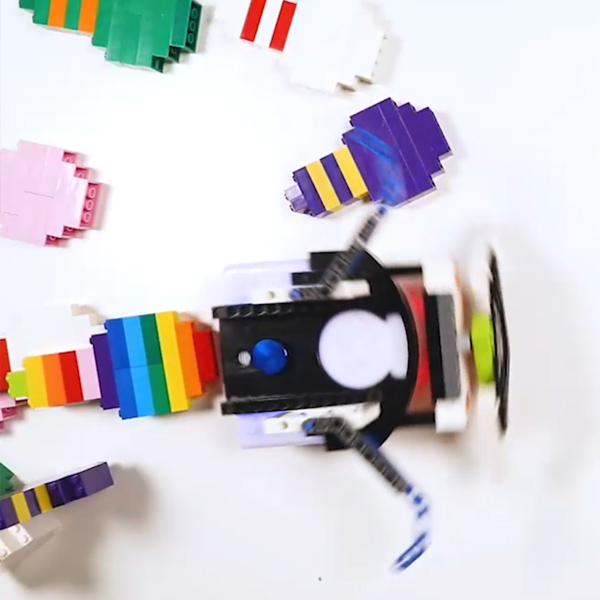
    • Build bowling pins using LEGO or toy pins.
    • Create a program in Scratch or VPL3 to knock down pins automatically.
    • Use sensors or timers to control movement and improve accuracy.
    • Advanced: Add LEGO attachments to increase power and reach.
    • Advanced: Try to knock down more pins with a single program.
    Solution Notes:

    Thymio Bowling Lesson Key Concepts

    Turn Thymio into a bowling robot and explore how robotics, programming, and design work together! This lesson focuses on building, coding, and improving performance using Thymio and simple materials:

    • Build bowling pins using LEGO or toy pins.
    • Create a program in Scratch or VPL3 to knock down pins automatically.
    • Test how timing, movement, and design affect performance.
    • Advanced: Add LEGO attachments to improve reach and power.
    • Advanced: Try to knock down more pins with a single program.

    Lesson Overview

    In this lesson, students will:

    1. Build a set of bowling pins.
    2. Create a program that moves Thymio to knock them down.
    3. Test and adjust timing, speed, and direction.
    4. Improve their robot or program to increase success.

    By the end of this lesson, students will understand how programming and design affect movement and results.

    Important Notes:

    Do not use the remote control. The robot must run using a program only.

    Tips for this Lesson:

    1. Start with a few pins before adding more.
    2. Test your program step by step.
    3. Adjust speed and timing for better accuracy.
    4. Try different attachments to improve performance.

    Products/Materials

    The following products and resources can be used in this lesson:

    Thymio II Robot
    LEGO
    Scratch
    VPL3

    FUN FACT!

    Did you know that many robots use pre-programmed movements to complete tasks automatically? Just like your bowling robot, they follow instructions to perform actions without human control!

    Download the Lesson PDF Files Below:

    Lesson Materials

    mmp54 Bowling Bots

    Check out the video tutorial/solutions below:

    Sorry, your browser doesn't support embedded videos.
    Bowling Bots Challenge
    By Jeremy|2026-04-22T12:35:02+09:002026-04-22|Tags: Bowling Bots, mmp54, Programming Lesson|

    Related Posts

    Tower Toppler
    Projection Lamp (Halloween Programming Lesson)
    Custom Thymio (Saving Aseba Programs to Thymio’s 7th Bank)
    Goofy Thymio (Backwards Control with VPL3)
    Baller Thymio (Accelerometer Sensor Balancing)
    Animated Scratch Dice Game (Scratch)
    Christmas Tree Light Show and Motion (Scratch)
    Scratch Music (by Coby )
    Thymio Settings 1: Changing the Volume
    Kitchen Timer (VPL3)
    Scissor Lift (Apitor E × Thymio)
    Balance Scale + Self Leveling Scale (Apitor E × Thymio)
    © 2026 | MindMission.pro
    Page load link