
Skip to content
FacebookTwitterInstagramPinterest
  • Getting Started
  • Lessons
  • Pixel Puzzles
  • Purchase
  • Solutions
  • My Account

    Register
Mind Mission Programming Logo

Home of Thymio II in Japan

  • Getting Started
  • Lessons
  • Pixel Puzzles
  • Purchase
  • Solutions
  • Getting Started
  • Lessons
  • Pixel Puzzles
  • Purchase
  • Solutions
  • Getting Started
  • Lessons
  • Pixel Puzzles
  • Purchase
  • Solutions
goofy thymio
User solution for: Goofy Thymio (Lesson Plans)
  • Mind Mission Card 58
  • Submitted by: Jeremy (Teacher)
    Solution video:
    Programming Skills: 2 - VPL3 (block)
    Lesson description:

    This lesson combines robotics, control, and programming:

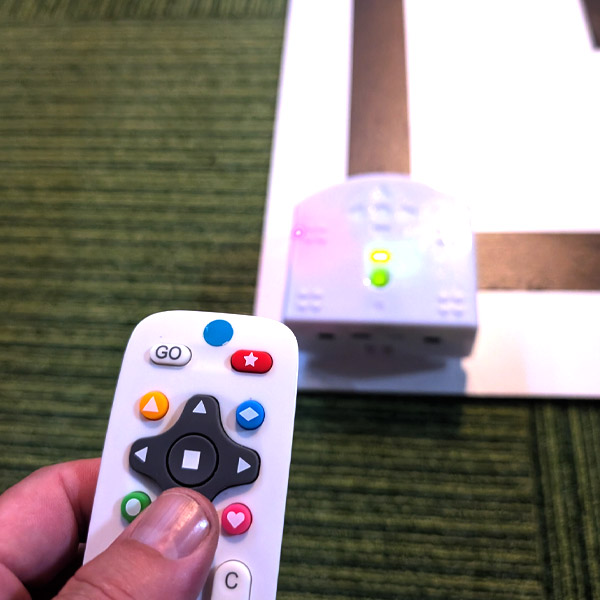
    • Create a custom control program that does the opposite of Thymio’s normal controls.
    • Use VPL3 to change how Thymio responds to the remote.
    • Drive Thymio around a track using your “goofy” controls.
    • Advanced: Improve your control program to navigate the track faster and more accurately.
    • Advanced: Minimize penalties by keeping Thymio on the track.
    Solution Notes:

    Goofy Thymio Lesson Key Concepts

    Program Thymio with “goofy” controls and explore how robotics and programming can change how a robot behaves! This lesson focuses on control, logic, and problem-solving using Thymio and VPL3:

    • Create a custom control system that reverses or changes Thymio’s normal movement.
    • Use VPL3 to control how Thymio responds to the remote.
    • Test your program by driving Thymio around a track.
    • Advanced: Improve your program to move faster and more accurately.
    • Advanced: Reduce penalties by keeping Thymio on the track.

    Lesson Overview

    In this lesson, students will:

    1. Create a VPL3 program with reversed or altered controls.
    2. Build a track using tape.
    3. Drive Thymio around the track using their custom controls.
    4. Measure time and add penalties for mistakes.

    By the end of this lesson, students will understand how changing control logic affects movement and performance.

    Important Notes:

    Control can feel confusing at first since the movements are reversed. Take your time to practice and adjust your program.

    Tips for this Lesson:

    1. Start slow to get used to the new controls.
    2. Practice turning and stopping before doing full runs.
    3. Adjust speeds in your program for better control.
    4. Stay focused to avoid penalties.

    Products/Materials

    The following products and resources can be used in this lesson:

    Thymio II Robot
    Remote Control
    Stopwatch
    Tape (for track)
    VPL3 (Thymio Suite)

    FUN FACT!

    Did you know that changing control systems is used in real robotics training? Engineers often test robots with reversed or unusual controls to improve precision and adaptability!

    Download the Lesson PDF Files Below:

    Lesson Materials

    mmp58 Goofy Thymio VPL3

    Check out the video tutorial/solutions below:

    Sorry, your browser doesn't support embedded videos.
    Goofy Thymio (Backwards Control with VPL3)
    By Jeremy|2026-04-20T22:31:48+09:002026-04-20|Tags: Goofy Thymio, MMP58, Programming Lesson|

    Related Posts

    Baller Thymio (Accelerometer Sensor Balancing)
    Animated Scratch Dice Game (Scratch)
    Christmas Tree Light Show and Motion (Scratch)
    Scratch Music (by Coby )
    Thymio Settings 1: Changing the Volume
    Kitchen Timer (VPL3)
    Scissor Lift (Apitor E × Thymio)
    Balance Scale + Self Leveling Scale (Apitor E × Thymio)
    DrumBot Drumming (by Coby )
    Programming Basics 1: Bowling Bots
    MMP Mission 67 Scratch Music
    Drum Bot
    © 2023 | BBBots.com
    Page load link