
Skip to content
FacebookTwitterInstagramPinterest
  • Getting Started
  • Lessons
  • Pixel Puzzles
  • Purchase
  • Solutions
  • My Account

    Register
Mind Mission Programming Logo

Home of Thymio II in Japan

  • Getting Started
  • Lessons
  • Pixel Puzzles
  • Purchase
  • Solutions
  • Getting Started
  • Lessons
  • Pixel Puzzles
  • Purchase
  • Solutions
  • Getting Started
  • Lessons
  • Pixel Puzzles
  • Purchase
  • Solutions
marble maze controller programming lesson thymio mind mission
User solution for: Marble Maze Controller (Lesson Plans)
  • Mind Mission Card 68
  • Submitted by: Jeremy (Teacher)
    Solution video:
    Codeless Mode:
    • Purple (Remote Control)
    Lesson description:

    No, it has 4 parts. Add to this:

    This lesson combines robotics, control, and problem-solving:

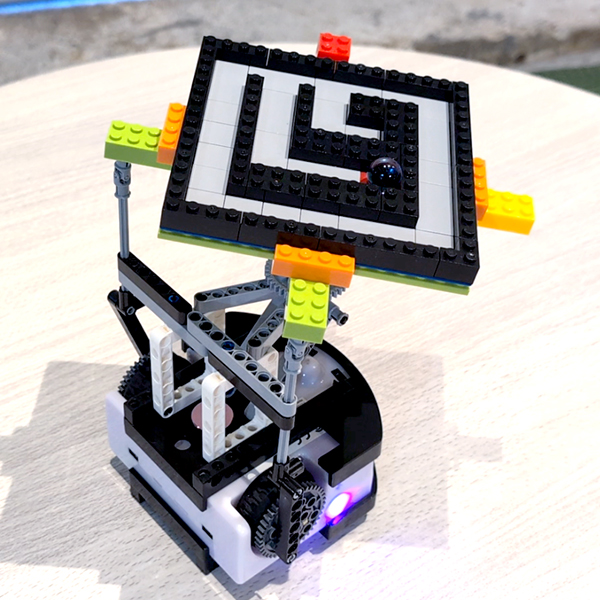
    • Build a marble maze controller using Thymio and LEGO.
    • Use the remote control to experiment with movement and guide the marble.
    • Program smoother and more precise control using block programming.
    • Advanced: Use Scratch and keyboard inputs for fine control adjustments.
    • Advanced: Create a program that can solve a simple maze automatically.
    Solution Notes:

    Marble Maze Controller Lesson Key Concepts

    Control a marble maze with Thymio and explore how robotics, programming, and problem-solving work together! This multi-part lesson focuses on building, control, and automation:

    • Build a marble maze controller using Thymio and LEGO.
    • Use a remote control to move the platform and guide the marble.
    • Improve control using block programming for smoother movement.
    • Progress to Scratch and keyboard control for more precise adjustments.
    • Control the maze using a second Thymio robot through wireless communication.
    • Advanced: Create a program that can solve a simple maze automatically.

    Lesson Overview

    In this lesson, students will:

    1. Build a marble maze controller using Thymio and LEGO.
    2. Use the remote control to experiment with movement.
    3. Create programs to improve control and precision.
    4. Control the maze using a second Thymio robot.
    5. Develop a system that can solve a simple maze.

    By the end of this lesson, students will understand how control systems and programming can be used to solve real-world challenges.

    Important Notes:

    Start with the platform level before testing. Small adjustments can greatly affect movement.

    Tips for this Lesson:

    1. Make small movements to control the marble more easily.
    2. Test each direction separately before combining controls.
    3. Adjust your build to keep the platform balanced.
    4. Practice before attempting full maze runs.

    Products/Materials

    The following products and resources can be used in this lesson:

    Thymio II Robot
    LEGO
    LinkVest
    Remote Control
    Scratch
    VPL3

    FUN FACT!

    Did you know that similar control systems are used in real machines like cranes and flight simulators? Small movements and precise control help operators guide objects accurately!

    Download the Lesson PDF Files Below:

    Lesson Materials

    marble maze controller programming lesson thymio mind missionmmp68 2thumbmmp68 3 thumbmmp68 4thumb

    Check out the photo instructions below:
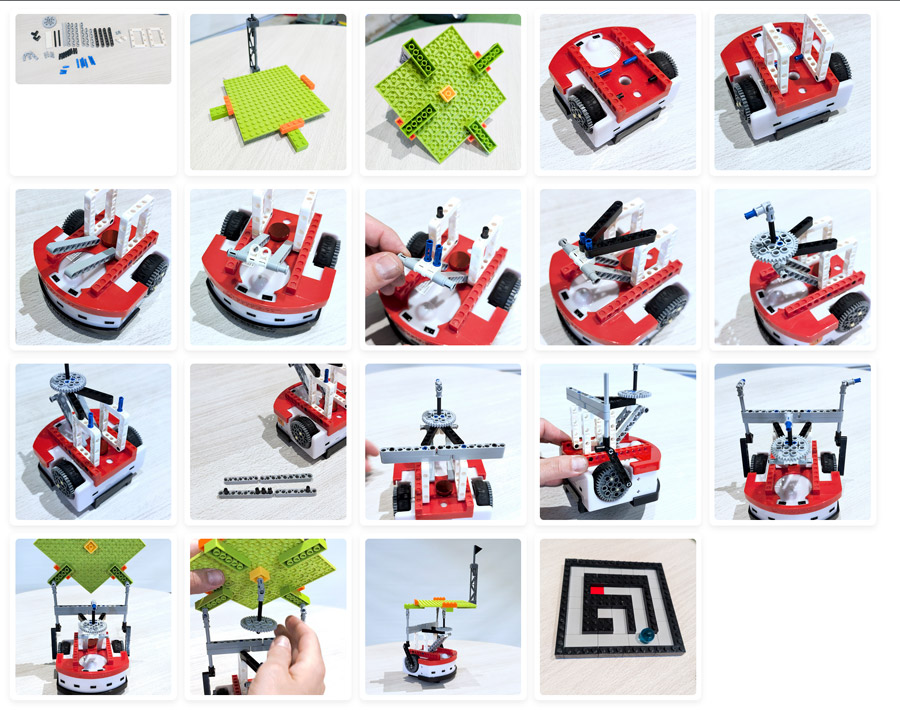
    marble maze controller photos instructions

    Check out the video tutorial/solutions below:

    (For part 4, you will also need to pair two robots to single dongle and download the Aseba program here.

    Sorry, your browser doesn't support embedded videos.
    Sorry, your browser doesn't support embedded videos.
    Sorry, your browser doesn't support embedded videos.
    Sorry, your browser doesn't support embedded videos.
    Sorry, your browser doesn't support embedded videos.
    Marble Maze Controller
    By Jeremy|2026-06-05T07:18:43+09:002026-04-25|Tags: Builder Series, Marble Maze Controller, mmp68, Programming Lesson|

    Related Posts

    Automatic Marble Run Elevator Robot (Thymio Builder’s Series)
    Getting Started with Scratch in Thymio Suite
    Dino Ball (Super Easy Scratch Game for Beginners)
    Thymio Sound Recorder (Scratch + Robotics Programming Series)
    Scratch-Controlled Thymio (Programming Robots with Scratch)
    Thymio Holographic Bubble Spinner Illusion (Gear Ratio Exploration Project)
    Scratch Writers (Writing Letters with Thymio’s Pen Holder)
    Snowflake Animation (Programming Fundamentals in Scratch)
    Pong Game (Programming Fundamentals in Scratch)
    Thymio Light Painting | Light Blossoms and Shapes
    Rainbow Flashing Lights and Color Blending Effects with Thymio
    Thymio Mouse Trap Programming Mission
    © 2026 | MindMission.pro
    Page load link