Thymio Settings: Volume
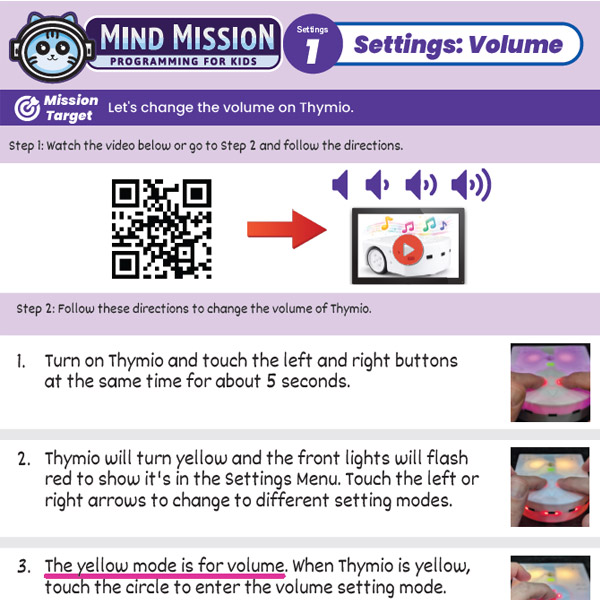
Learn how to change the volume on Thymio using the built-in settings menu.
- Access Thymio’s Settings Menu using the touch buttons.
- Navigate between settings using the left and right arrows.
- Adjust the volume level using simple controls.
Steps
- Turn on Thymio and touch the left and right buttons at the same time for about 5 seconds.
- When Thymio turns yellow, use the arrows to find the volume setting mode (yellow) if it was changed.
- Touch the center button to enter volume mode.
- Use the up and down arrows to change the volume.
- Touch the center button again to exit.
Products/Materials
Download the Lesson PDF Files Below: